How to Pick a Hotel That Actually Works as an Office (The Remote Worker's 2026 Booking Checklist)
Most hotels aren't built for remote work. The 2026 checklist for Wi-Fi speed, desks, outlets, and the booking questions that actually matter.

Working from a hotel sounds romantic until you're sitting on a bed at 2 PM with a laptop, a video call dropping every 4 minutes, and a chair that was clearly designed by someone who hates lumbar support. Most hotel rooms are built for sleeping, not working. The ones that aren't are usually marketed as something other than "remote-worker friendly," and you have to know what to look for.
We've stayed in enough hotels with bad Wi-Fi, broken outlets, and tables the size of a placemat to have a checklist. Here it is.
The Wi-Fi Question (More Important Than You Think)
This is the one that determines whether your hotel stay is workable or a disaster.
"High-speed Wi-Fi" in a hotel listing means nothing. The phrase is unregulated. A property can claim it while delivering 3 Mbps in your specific room because the router is two floors away and three walls in between. Some properties run dedicated lines per room. Most don't. The Wi-Fi you get depends on how many other guests are streaming on the same access point.
The minimums to plan around for 2026:
25 Mbps down / 10 Mbps up is enough for one person on video calls without other heavy use. This is the floor.
50+ Mbps down is comfortable for video calls plus a second device streaming, plus normal browser tabs.
100+ Mbps down is what you need for video editing, large file transfers, or any kind of cloud-based collaboration on files bigger than 50 MB.
Hotel Wi-Fi varies dramatically within the same property. Rooms near the router can hit 200 Mbps. Rooms at the end of a long corridor can fall to 5 Mbps. There's no way to know in advance unless you ask.
What to do: email the hotel before booking. Use this script: "I'll be working remotely during my stay. Can you tell me the typical Wi-Fi speed in guest rooms in Mbps? Is the connection dedicated or shared across guests? Are there rooms with better connectivity I should request?"
If they answer with specifics, the property takes it seriously. If they answer with "we have high-speed Wi-Fi," ask again for the number. If they can't or won't provide a number, assume the worst.

The Room Itself: 7 Things to Check
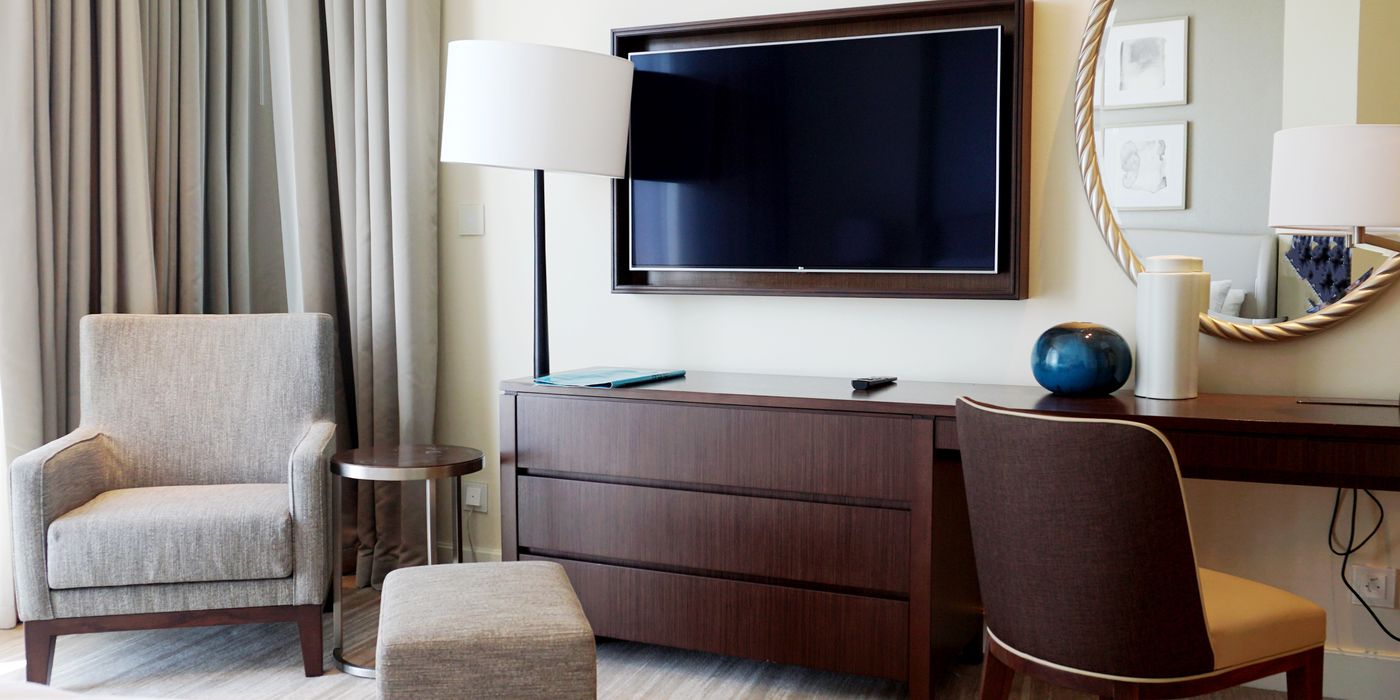
1. Is there a real desk? A desk needs to be wide enough for a laptop, a notebook, and a coffee cup at the same time. Hotel rooms increasingly skip desks in favor of "writing surfaces" the size of a TV tray. Look at the photos. If you don't see a desk that's at least 36 inches wide, ask. Some properties only have desks in select room categories.
2. Is the chair ergonomic? Most hotel desk chairs are decorative. They have no back support, the height isn't adjustable, and after 90 minutes your lower back is making decisions for you. Properties that take remote work seriously list "ergonomic chair" in the amenities. The rest assume you'll only use the chair for putting on shoes.
3. Where are the outlets? Older hotels can have one accessible outlet within reach of the desk. Modern properties usually have multiple plus USB charging. If you're bringing a laptop, monitor, phone, and headphones, you need at least three outlets within 6 feet of where you'll sit. Photos rarely show this. Ask.
4. Does the lighting work? Hotel rooms are lit for ambiance, not for screens. Glare from a window or an overhead bulb behind you will wreck video calls. Look for desk lamps in the room photos. If there's no desk lamp, you'll be working in shadow.
5. Is the room quiet? Two factors. Street noise from outside (a bigger problem in budget hotels and central locations) and corridor noise from other guests (a bigger problem in older properties with bad sound insulation). The fix is usually to request a room on a high floor, away from elevators, facing a courtyard rather than the street.
6. Is there a door you can close? Some hotel rooms have the bathroom door, the closet door, and the entry door. That's it. If you're on calls and your travel partner is also working, you need a separation. Suite categories solve this. Studio rooms don't.
7. Is housekeeping going to interrupt? Daily housekeeping during work hours is disruptive. Some properties default to opt-in housekeeping (you request it). Others default to opt-out (it happens unless you stop it). Find out at check-in. A "do not disturb" sign solves the day-of problem but doesn't help if you're on a call when they knock.

Hotel Types That Tend to Work for Remote Workers
Some categories of property are reliably better for working.
Aparthotels and extended-stay brands. These properties are built around stays of a week or more. Real desks, kitchens, larger floor plans. Brands like Mint House, Sonder, and Locke have led the category for shorter stays. Marriott's Residence Inn and Hyatt's Hyatt House are the chain options for longer stays.
Business hotels in second-tier cities. A property catering to corporate travelers in a smaller market is built for the kind of work you're doing. Desk, ergonomic chair, business-grade Wi-Fi. They tend to be cheaper than leisure properties in similar locations.
Co-living and digital nomad-focused properties. A small but growing category. Selina (when properties are open), Outsite, Roam. The marketing is explicitly about remote work. Wi-Fi is the headline amenity, not an afterthought.
Accor's "Hotel Office" rooms. Accor rolled out a day-use program across Novotel and Mercure properties globally. You can book a room for the day, just for work, at a lower rate. Useful for a single intense work day when your home or apartment isn't going to work.
Day-Use Booking Is the Underused Hack
Most hotels will sell you a room for 8 to 12 hours during the day if you ask. Brands like HotelsByDay and Dayuse aggregate this inventory. Rates run 30 to 50% of the overnight rate. If you need a quiet space with reliable Wi-Fi for a single workday (delayed flight, between meetings in a new city, working from a hotel near the airport before a red-eye), this is the move.
The booking process is the same as a regular hotel booking. You arrive in the morning, check into a normal room, work until late afternoon, and check out. The room is fully yours during that window.

What to Pack for a Workcation
The minimum gear list for actually getting work done from a hotel:
A laptop stand or a hardcover book to raise your laptop screen to eye level. The desk is rarely the right height for ergonomic typing.
A wireless mouse. Trackpads work for short sessions and not for full days.
Noise-canceling headphones. Hotel walls are thinner than you think.
A multi-outlet travel charging block. Pack one with USB-A, USB-C, and a regular outlet. It turns one wall plug into four.
An HDMI cable if you ever use the TV as a second monitor. Most hotel TVs in 2026 have HDMI ports, and some will let you cast wirelessly. A 6-foot cable is the move.
A mobile hotspot or a SIM with a generous data plan. If hotel Wi-Fi fails, you need a backup. Treat this as insurance. A 10 GB data plan for a week costs $30 and saves you from disaster.
The Cashback Math on Workcations
Long stays are where hotel cashback matters most. A 2-week workcation in a $150-a-night aparthotel runs $2,100. At 10% back through Best (best.so), that's $210. Enough to cover ground transport, a few good dinners, or the gear upgrade you've been putting off.
The cashback applies to the room rate regardless of length of stay. Some properties also offer their own multi-night discounts on top. The two can stack. Always check the unbundled rate against the longer-stay rate before booking. The straight nightly rate plus cashback is sometimes a better deal than the weekly package.
The Pre-Booking Checklist
Before you book, confirm:
Wi-Fi speed in Mbps (in writing, from the property)
Desk size and chair type (photos or property confirmation)
Number of accessible outlets near the desk
Housekeeping schedule (and how to opt out if needed)
Late check-out availability (so you have a buffer on the last day)
Day-use options if you're planning to extend
Whether the property has a co-working space or business center as a fallback
Quietest room categories and locations within the property
Five minutes of pre-booking diligence prevents two days of frustration.
FAQ
What Wi-Fi speed do I need to work from a hotel?
25 Mbps down is the floor for one person on video calls. 50+ Mbps is comfortable for typical multitasking. 100+ Mbps is required for video editing, large file transfers, or heavy cloud collaboration. Ask the hotel directly for the speed in Mbps, not just "high-speed Wi-Fi."
Can I book a hotel room just for the day to work?
Yes. Day-use bookings through platforms like HotelsByDay and Dayuse let you book a room for 8 to 12 hours during the day at 30 to 50% of the overnight rate. Many hotels also offer this directly. Useful for layovers, between meetings, or when you need a quiet space without an overnight stay.
What's the best hotel chain for remote workers?
Extended-stay brands like Residence Inn, Hyatt House, Mint House, and Sonder are built around longer stays and have real desks, kitchens, and reliable Wi-Fi. Business hotels in second-tier cities also tend to work well. Co-living brands like Outsite and Roam target digital nomads specifically.
How do I make sure my hotel room is quiet enough for video calls?
Request a high floor, away from elevators, facing a courtyard rather than the street. Confirm the housekeeping schedule and use a do-not-disturb sign during work hours. Suite categories give you a door between the working area and the sleeping area. Sound insulation varies dramatically by property age and construction.
Should I use a mobile hotspot as backup for hotel Wi-Fi?
Yes, especially for important calls or critical work. A 10 GB data plan or eSIM costs about $30 for a week and works as insurance if hotel Wi-Fi fails. For longer workcations, a dedicated mobile hotspot device with an unlimited plan is worth the investment.
Images: Hero hotel desk and chairs via Unsplash. Laptop on wooden desk via Unsplash. Hotel room with desk and TV via Unsplash. Hotel desk phone photo via Unsplash.